iOS 26.4 Drops: Apple Music Home Screen Gains Concerts and AutoMix DJ
Apple deployed iOS 26.4 and iPadOS 26.4 to users worldwide on Wednesday, March 25, 2026, delivering the most consequential mid-cycle revision to its core media suite in years. As documented by coverage from the Impress Watch Report, the release activates system-level support for AirPods Max 2, inserts eight new Unicode characters, and completely reorganizes the native Music client. The primary screen inside the app now bridges streaming catalogs with real-world touring schedules while overhauling track transitions via machine intelligence.
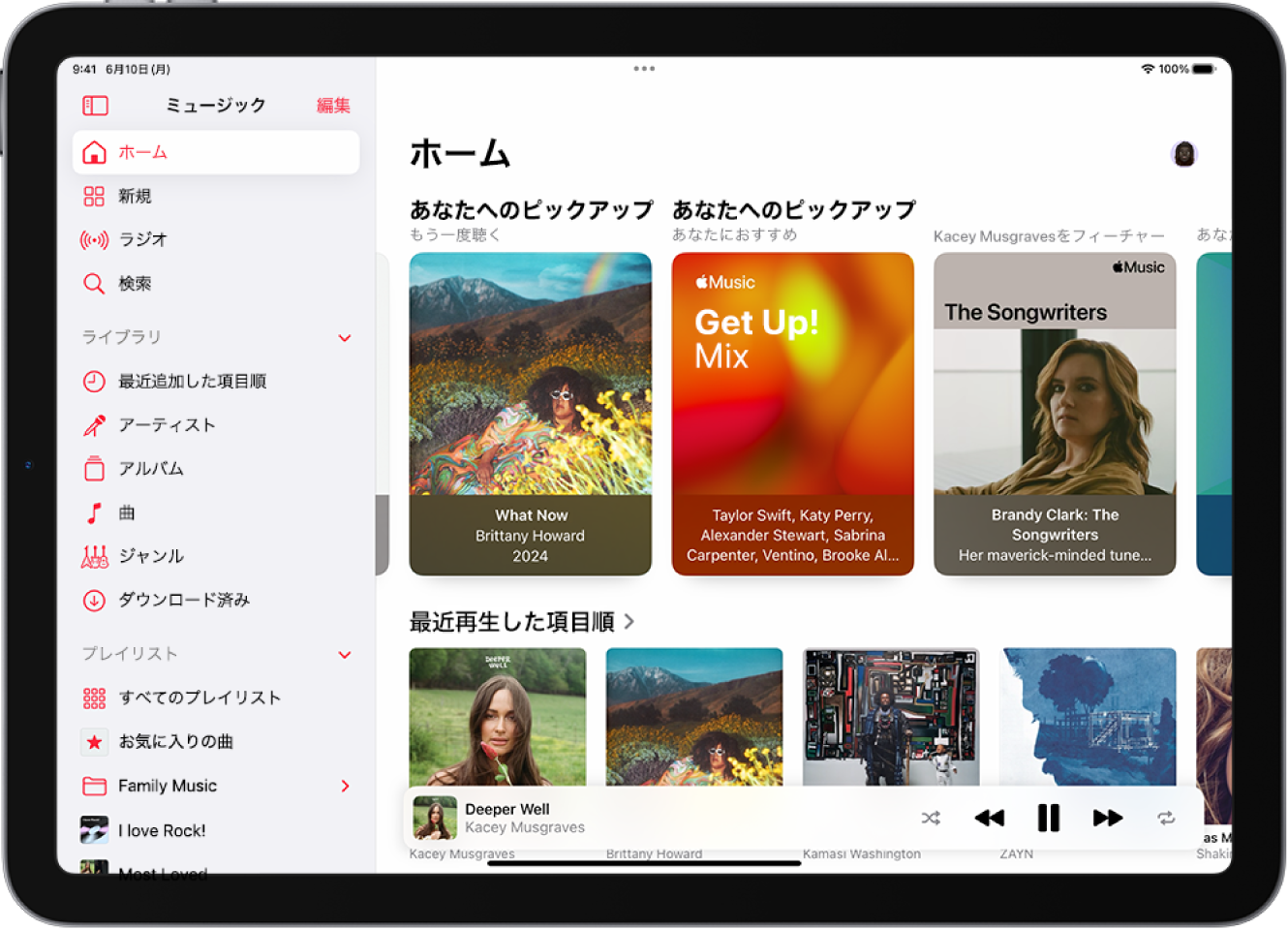
The visual centerpiece of the rollout is a revised Apple Music home tab. Rather than treating streaming playback and touring schedules as separate commercial spaces, Apple has unified them. Algorithmic listening habits now determine both the albums resting on your digital shelf and the concert tickets offered on your device. Alongside real-time transition engines and redesigned desktop-style navigation across iPadOS, the update resets expectations for standard media players.
📌 Key Takeaways:
- The Release: Apple rolled out iOS 26.4 and iPadOS 26.4 on March 25, 2026, introducing official AirPods Max 2 support, eight new emojis, and significant platform-wide music enhancements.
- Home Screen Architecture: The redesigned home tab integrates local concert discovery alongside personalized music recommendations, pulling live dates directly from library artist metadata.
- Playback Intelligence: AutoMix DJ introduces automated, tempo-matched transitions between songs, moving well beyond traditional crossfade settings.
Inside the Redesigned Apple Music Home Tab
Opening the Music app on iOS 26.4 reveals an immediately visible layout adjustment. The older Listen Now architecture, which long leaned on generic algorithm carousels, has been replaced by a dynamic home surface that reacts to context, location, and playback habits. The top row drops sprawling banner ads in favor of compact, high-density modular cards. These surfaces track recent spins, pinned favorites, and daily recommendations without requiring endless downward scrolling.
Underneath that header, personalized music recommendations run through on-device models. The app analyzes listening sessions by time of day, hardware environment, and skip frequency without sending raw behavioral telemetry back to central servers. When you connect over vehicular Bluetooth at 8:00 AM, the upper shelf surfaces commuter mixes and daily news roundups. Drop into an evening headphone session, and the interface shifts automatically toward deep catalog tracks and ambient sets.
Apple has also extended this visual overhaul outward to the spring-board. New interactive Apple Music widgets now let users swap playlist seeds directly from the home screen without launching the full application. Pairing these widgets with modernized lock screen player integration produces an uninterrupted audio workflow: scrub through playback, pin a newly discovered track, or inspect live tour notices without unlocking your handset.
Concert Discovery Bridges Streaming and Live Touring
Live music ticketing has historically lived in fractured spaces. Fans discover bands on streaming platforms, rely on third-party aggregators for tour announcements, and buy tickets through separate vendor apps. The new Concerts hub inside iOS 26.4 eliminates those boundaries entirely. Located directly on the home tab, the module scans your local library, favorited acts, and heavy-rotation artists to surface upcoming shows within your geographic radius.
The implementation pulls municipal data from regional venue partners, Shazam tour tracking, and local promoter listings. Tapping a concert module displays tour dates, supporting lineups, door times, and direct merchant portals without pushing users through spam-heavy landing pages. If an artist in your daily rotation announces an arena date fifty miles away, the listing lands directly in your feed alongside their latest release.
Privacy protections govern how this geographic targeting functions. Rather than continuously pinging exact GPS coordinates, the Music app checks broad location clusters through system-level location services. Users who travel frequently can also lock their preferred concert zones manually within the Music app interface settings, allowing them to track dates across multiple cities simultaneously.
AutoMix DJ Transitions and Dynamic Playback Architecture
Standard playback crossfades have always been blunt instruments. Lowering the volume on one track while raising it on another often results in mismatched tempos, clashing keys, and abrupt disruptions. The arrival of AutoMix DJ inside iOS 26.4 replaces that rudimentary fade with continuous harmonic beat matching. Developed by Apple's core audio engineering group, the feature operates in real time across the streaming library.
When AutoMix DJ is enabled, the playback engine analyzes incoming and outgoing tracks for three distinct attributes: tempo (BPM), rhythmic meter, and musical key. If two songs share complementary cadences, the engine time-stretches the outro and intro stems, aligning the beats before making a seamless transition. For songs that clash harmonically, the system applies subtle rhythmic filtering, pulling back bass frequencies on the outgoing song while sliding in the incoming percussion.
The result feels remarkably human. Dance mixes, hip-hop playlists, and indie rock sets play back with the continuity of a curated radio broadcast rather than an unguided shuffle. For users who prefer historical song boundaries, Apple preserves complete user control. AutoMix DJ can be restricted to specific playlists, adjusted for transition duration, or completely disabled in favor of standard gapless playback.
Comparing the iOS 26 Audio Experience
To grasp the scope of the changes arriving with this release, examine the functional differences between the previous release cycle and the new architecture deployed on March 25, 2026.
| Feature Set | iOS 26.0, 26.3 Architecture | iOS 26.4 Implementation |
|---|---|---|
| Home Tab Curation | Static carousels; standard Listen Now layout with delayed updates. | Context-aware modular shelves; integrates real-time commute and evening profiles. |
| Live Event Tracking | Buried inside individual artist pages; no unified local overview. | Dedicated Concerts feed; scans library artists and pairs with local venue databases. |
| Transition Engine | Fixed time-based crossfade (1, 12 seconds); volume dips only. | AutoMix DJ; real-time tempo matching, harmonic sync, and dynamic EQ carving. |
| Flagship Headphone Support | AirPods Max (1st Gen) profile; legacy AAC and basic Spatial Audio. | AirPods Max 2 native pairing; ultra-low latency playback and high-bandwidth processing. |
| Tablet Workspace Layout | Scaled-up smartphone layout with a persistent left sidebar. | iPadOS 26.4 music update; multi-column home dashboard with floating quick-queues. |
Hardware Synergy: Unlocking AirPods Max 2 Performance
The software enhancements in iOS 26.4 do not exist in an engineering vacuum. They arrive simultaneously with hardware updates. The operating system update officially integrates support for AirPods Max 2, bringing dedicated acoustic profiling to Apple's premium over-ear headphones. Pairing the new headset initiates an automatic acoustic calibration sequence that reads ear canal shape and ear-cushion seal density within two seconds.
Under the hood, iOS 26.4 coordinates with the updated H-series audio processors inside AirPods Max 2 to reduce latency across high-resolution playback chains. When users stream 24-bit/96kHz Apple Lossless tracks, the system dynamically manages wireless bandwidth to prevent dropouts in crowded spectrum environments. Spatial Audio tracking has also gained higher precision gyroscopic sync, locking orchestral arrangements or live concert recordings in physical space with near-zero drift.
These hardware advantages extend cleanly to large-format displays. Through the companion iPadOS 26.4 music update, audio professionals and casual listeners gain a multi-pane workstation view. You can manage your live queue in a floating right-hand column, inspect incoming tour stops in the center pane, and adjust headphone equalization settings without leaving your current playback view.
Configuring the Interface Settings and Lock Screen Controls
Making the most of the iOS 26.4 release requires adjusting a few core preferences. Apple places several of these tools behind the default settings menu to prevent visual clutter, meaning users must opt in to enable maximum customizability. To start, navigate to Settings, select Music, and review the playback configuration panel.
Locate the AutoMix section under Playback. Here, you can set the transition aggressiveness to Smooth, Dynamic, or Strict. The Smooth setting maintains moderate volume shifts over a four-bar phrase, while Dynamic executes longer, eight-bar club-style transitions. If you frequently listen to classical records or concept albums where uninterrupted track transitions are essential, toggle the Exclude Album Playback switch to preserve original mastering.
Next, configure local event discovery. Under the Concerts tab within Music settings, enable Local Venues and select your default discovery radius, ranging from 10 to 100 miles. Finally, customize your lock screen player integration. Long-pressing the expanded lock screen widget now reveals options to show real-time track attributes, tempo signatures, and upcoming concert alerts directly on the Always-On display.
Frequently Asked Questions (FAQ)
Q1: How does the new Concerts section locate live events near me?
A1: The feature references broad regional location data against your device's favorited artists and most-played catalog. It matches those musicians with tour databases verified by Shazam and affiliated ticketing platforms. You can also specify target metropolitan regions manually within the app settings.
Q2: Will AutoMix DJ disrupt classical or concept album tracklists?
A2: No. The algorithm detects gapless studio records and continuous album indexes automatically. Additionally, you can enable a setting that forces AutoMix to engage only during custom playlists, preventing it from blending tracks intended to be heard as distinct historical recordings.
Q3: Does iPadOS 26.4 include all the home screen features found on the iPhone?
A3: Yes. iPadOS 26.4 includes the redesigned home tab, local concert feeds, and AutoMix DJ transitions. It takes advantage of larger screens by offering a multi-column dashboard, letting users view upcoming concerts, current lyrics, and queue management side-by-side.
Apple's Expanding Ecosystem Architecture
The arrival of iOS 26.4 signals a philosophical shift in how modern operating systems handle specialized media. Streaming services spent a decade competing almost exclusively on the volume of their catalogs. Because every major platform now offers roughly 100 million songs at identical bitrates, differentiation must come from playback architecture, live-event utility, and ecosystem cohesion.
By blending on-device recommendation engines with physical tour discovery, Apple has turned the Music app into a real-world cultural hub rather than a passive jukebox. Paired with intelligent transitions from AutoMix DJ and tailored hardware handshakes for AirPods Max 2, iOS 26.4 transforms ordinary streaming into an interactive listening platform that follows users from their morning lock screen straight through to the arena box office.