Dealership Service vs $2 DIY: The Truth Behind Nissan Serena Key Fob Battery Costs and Myths
A blinking green key icon on your dashboard signals an impending headache. For owners of the popular Nissan Serena minivan, that dashboard cue usually precedes an unexpected lockout at a grocery store parking lot or a delayed morning school run. Most drivers assume a dying key transmitter demands an appointment at an authorized service counter.
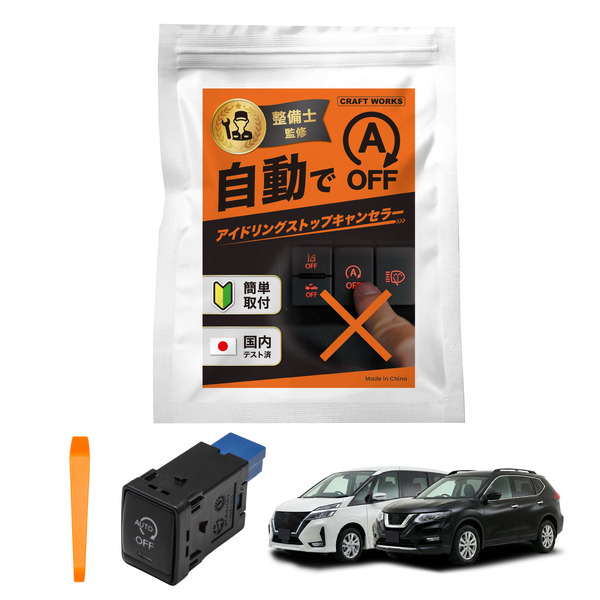
Dealership service advisors routinely bill between $25 and $45 for what amounts to ninety seconds of labor. As aftermarket accessories and DIY vehicle modifications surge across family van segments, highlighted by recent Japanese automotive coverage from the レスポンス Report on plug-and-play electronics for the Serena, drivers are taking maintenance into their own hands. Replacing a dying coin cell requires nothing more than a pocket screwdriver, two minutes of attention, and an off-the-shelf lithium disk costing less than $2.
📌 Quick Summary:
- The Real Cost: Dealerships charge steep labor markups on lithium coin cells that retail individually for roughly $1.50 at supermarkets and electronics shops.
- The Trap: Installing a replacement cell upside down or choosing the wrong casing thickness instantly disables the fob, triggering persistent dashboard warnings.
- The Failsafe: Every Serena smart remote houses a hidden mechanical emergency key and an embedded RFID chip capable of starting the engine even when the internal battery reads zero volts.
Recognizing the Warning Signs of Transmitter Signal Loss
A remote battery rarely fails without warning. The internal 3-volt circuit begins degrading months before the transmitter goes completely silent. The earliest indicator is reduced operating distance. Where the sliding doors previously unlocked from twenty paces, the car eventually demands that you stand within arm's reach of the door handle.
When the transmitter battery drops below critical operating thresholds, the instrument cluster illuminates the Nissan Intelligent Key warning light. On modern Serena models, an amber or green key graphic flashes alongside an explicit text notification: "Key Battery Low."
Ignoring these notifications leads directly to total keyless entry transmitter signal loss. The exterior capacitive sensors on the door handles stop acknowledging touches. You pull the handle, nothing clicks, and the cabin remains locked.
CR2025 vs CR2032: Selecting the Correct Coin Cell Across Generations
Minivan owners frequently purchase the wrong replacement battery because Nissan altered remote housing profiles across vehicle revisions. The Serena lineup spans distinct chassis variants, including the fifth-generation C27 and the newer C28 platforms, alongside older C26 family haulers still active on roads today.
Both CR2025 and CR2032 cells measure exactly 20 millimeters in diameter and provide nominal 3-volt output. The divergence lies in their physical thickness: a CR2025 measures 2.5 millimeters thick, while a CR2032 measures 3.2 millimeters. Placing a CR2032 into an older remote designed strictly for a CR2025 bends internal contact pins and cracks the plastic shell. Placing a CR2025 into a cavity built for a CR2032 leaves loose clearance, causing intermittent contact failure whenever the key experiences a sudden bump.
| Serena Generation | Production Years | Battery Specification | Factory Polarity Orientation |
|---|---|---|---|
| Serena C26 | 2010, 2016 | CR2025 | Positive (+) Face Down |
| Serena C27 | 2016, 2022 | CR2032 (Select Early: CR2025) | Positive (+) Face Down |
| Serena C28 | 2022, 2026 | CR2032 | Positive (+) Face Down |
Always read the stamped numbers on your exhausted cell before tossing it into the recycling bin. If your original housing clearly stamps CR2032 into the inner plastic casing, do not force a CR2025 into its place.
Step-by-Step Fob Disassembly Without Damaging the Shell
Prying apart an electronic car key looks straightforward, yet service counters frequently see fobs gouged by kitchen knives or flathead screwdrivers. The perimeter plastic tears easily under direct steel pressure. A few deliberate steps keep the water-resistant casing intact:
First, turn the remote to its backside and find the mechanical backup key release switch. Slide this small spring-loaded catch sideways using your thumbnail and pull the physical metal key straight out of the housing.
Second, inspect the cavity exposed by the removed key blade. You will spot a small indented notch engineered specifically as a key fob screwdriver pry slot. Wrap the tip of a small flathead precision screwdriver with a single layer of electrical tape or masking tape. This prevents the metal tool from chewing into the soft thermoplastic shell.
Third, insert the taped screwdriver tip into the pry notch. Twist the screwdriver handle smoothly like a key rather than levering it up and down. You will hear an audible snap as the internal retaining tabs pop free. Slide the tool gently along the outer seam to separate the front and rear halves completely.

Avoiding the Reversed Polarity Installation Trap
The most frequent error committed during DIY maintenance involves polarity. On household items like flashlights, the positive terminal almost universally faces outward toward the installer. Nissan engineered the Intelligent Key module with the opposite layout.
The positive side of your replacement lithium coin cell, marked clearly with a etched plus sign (+) and brand lettering, must face down into the plastic housing on standard Serena remotes.
Placing the positive side facing upward prevents electrical completion across the micro-circuit board. The car will refuse to unlock, leading many drivers to assume the remote suffered water damage or internal board failure. Look closely at the bottom of the battery tray before pressing the new disc in place. A tiny engraved plus symbol embossed directly into the plastic floor confirms that the smooth, etched positive side belongs flush against that base.
Press the new cell down until it seats flat. Snap the top and bottom remote halves together by applying uniform thumb pressure along the perimeter edges until all plastic perimeter clips click shut. Reinsert the emergency metal key until its spring catch locks.
Emergency Starting Procedures When the Key Battery is Flat
If your fob drops dead before you can swap the cell, you are not stranded. Automotive safety regulations require a passive backup mechanism to operate push-button ignitions without active remote transmission.
Unlock the driver door manually. Insert the metal mechanical key into the exterior lock cylinder, turn it clockwise, and pull the handle. If your vehicle sounds the anti-theft horn, proceed directly into the driver's seat.
Press and hold the brake pedal firmly. Take the plastic fob shell and hold it directly against the physical Engine Start/Stop button. An embedded transponder coil inside the ignition switch energizes a tiny passive RFID chip located inside the key housing through electromagnetic induction. A chime will sound from the gauge cluster. Within five seconds of hearing that chime, press the Engine Start/Stop button while keeping your foot on the brake. The engine will fire up immediately.
Frequently Asked Questions (FAQ)
Q1: Why does my Nissan Intelligent Key warning light stay on after installing a fresh battery?
A1: This occurs if protective clear film remained stuck to the negative backplate of the new coin cell, or if the cell was installed with positive polarity facing upward instead of downward. If orientation is correct, cycle the vehicle ignition from OFF to ON three times to reset the dashboard monitoring loop.
Q2: How long should a genuine lithium coin cell last inside a Serena smart remote?
A2: A standard battery delivers between one and two years of service. Proximity to high-frequency electronics, such as resting your keys right next to smartphones, wireless laptop chargers, or televisions at home, forces the remote to constantly wake its transponder, cutting battery lifespan in half.
Q3: Will opening the key remote erase its stored pairing code?
A3: No. The transmitter pairing codes reside in non-volatile onboard EEPROM memory. Swapping out the depleted battery does not clear pairing data, regardless of how long the remote remains without power during the change.
Practical Takeaways for Serena Owners
Relying on a dealership service bay for simple key fob maintenance wastes money and unneeded hours in waiting rooms. Retail mechanics charge substantial administrative premiums for simple tasks designed from the factory to be completed curbside.
Keep two spare CR2025 or CR2032 lithium cells in your glovebox alongside a small precision screwdriver wrapped in tape. When the green key warning illuminates on your Serena dash, take two minutes to complete the swap yourself. Check your chassis platform, respect the polarity markings, and pocket the dealership savings.