5 Free Wedding Reception Sheet Formats: Visual Layout Comparison

Front-desk gridlock ruins wedding timelines before the first glass of champagne pours. Guests form disorderly queues at the venue threshold, ushers scramble to match phonetic names against disorganized rosters, and envelopes stuffed with cash gifts sit dangerously unmonitored on decorative tables. As paperless tools accelerate worldwide, digital wedding stationery providers are rethinking front-door registration. Platforms such as ParaLux's PlaPla digital wedding invitation service, which scaled across Japan to serve over 5 million cumulative users, have expanded reception layouts with customizable digital toolsets, as detailed in an official PR TIMES Report. Yet even as hybrid weddings adopt messaging platforms like LINE and app-based RSVPs, the physical reception table remains the ultimate logistical choke point.
Bridal coordinators and venue directors face a recurring tension between tactile formality and rapid foot-traffic clearance. Whether a couple manages an intimate dinner of 40 close relatives or a banquet room seating 250 international guests, the reception roster must cross-reference table seatings, dietary allergens, and financial contributions in seconds. Choosing the right layout prevents embarrassing delays and keeps catering teams informed.
📌 Quick Summary:
- The Bottleneck: Paper check-in stalls when guest lists run strictly by table number rather than alphabetical last name.
- Format Diversity: Printable PDFs offer stability against venue Wi-Fi drops, while cloud spreadsheets let coordinators sync real-time party arrivals.
- Operational Fix: Splitting rosters across multiple staff stations cuts arrival dwell-time by more than half.
Why Front-Desk Registration Breaks Down on Event Day
Reception chaos rarely stems from guest tardiness. It stems from information architecture that fails under pressure. Traditional guest lists arranged by party relationship, placing the groom's childhood friends on page one and the bride's extended family on page three, force volunteer ushers to flip through pages while lines stretch into the driveway.
When an usher must scan through 120 names to verify a single plus-one confirmation, transaction time balloons from 10 seconds to over a minute per party. If 50 guests arrive during a 15-minute cocktail transit window, that arithmetic results in a catastrophic queue.
Modern front-desk systems solve this by isolating operational duties. An usher handling the physical sign-in needs three fields: guest name, table assignment, and gift intake confirmation. Burdening entry-point volunteers with comprehensive notes on dietary preferences, escort card distribution, and coat check claims creates cognitive overload. Professional event managers now strip front-door documents down to functional essentials, routing background data like anaphylactic food alerts directly to banquet captains long before doors open.
Comparing the 5 Free Reception Roster Layouts Side by Side
Selecting the right administrative framework depends on your venue's infrastructure, bridal party scale, and how cash gifts or congratulatory envelopes (goshugi) are secured. Below is an operational breakdown of the five primary check-in formats used across modern weddings.
| Roster Format | Best Venue Use Case | Primary Strengths | Operational Weaknesses |
|---|---|---|---|
| Alphabetical Split Sheet (Printable PDF) | Large banquets (120, 250+ guests) with dual desks | Zero reliance on venue Wi-Fi; lightning-fast lookup by surname | Static document; cannot accommodate last-minute RSVP adjustments |
| Google Sheets Cloud Roster | Venues with reliable Wi-Fi and off-site coordinators | Live syncing across multiple tablets; instant headcount tallies | Vulnerable to local network blackouts; risk of accidental cell deletion |
| Excel Gift Tracking Master | Traditional ceremonies with formal cash registry gifts | High-precision serial logging; automated balance reconciliation | Complex data entry; slows entry speed if filled during arrival rush |
| QR-Code Digital Check-In Grid | Tech-forward, paperless casual or cocktail celebrations | Sub-second check-in; automates seating direction to guest phones | Alienates elderly relatives; requires battery-charged guest devices |
| Seating Chart Matrix by Table | Intimate micro-weddings (under 50 attendees) | Visual representation of empty seats; easy family grouping | Painful search time for ushers when guest counts exceed 60 |
Bridal Coordinator Checklists for Desk Architecture
Placing a single four-foot trestle table in an entryway corridor guarantees congestion. Smooth operations demand physical zoning, mirroring corporate conference workflows.
The entry corridor requires three distinct functional zones:
First comes the Greeting Zone. Positioned six feet from the entry doors, this station filters incoming traffic. Ushers divide guests by family side or alphabetical designation (A, K and L, Z), preventing queues from spilling outside.
Second is the Ledger Zone. This is where the check-in sheet template lives. Ushers confirm identities, log attendance status, and collect wedding gifts or gift cards. In cultures where monetary gifts are customary, secure lockboxes must remain out of reach from casual foot traffic, with dedicated handlers verifying envelope tags against spreadsheet serial numbers.
Third is the Directional Zone. Here, an usher presents the physical escort card, confirms the table seating assignment, and points the party toward the cocktail lounge. Separating this handoff from the check-in ledger keeps guests moving, allowing the next party to step forward immediately.
To support this physical flow, professional coordinators rely on a focused, single-page clipboard document containing:
- A high-contrast alphabetical guest attendance roster with legible 12-point fonts.
- Clear check-boxes for gift envelope intake, physical gift receipt, and escort card delivery.
- Distinct highlight coding for VIP family members, speech givers, and off-duty vendors.
- A direct, unlisted cell phone number for the venue banquet captain.
Managing Dietary Logs and Cash Gifts Without Operational Friction
Logging dietary restrictions at the front door is a major operational error. If an usher pauses during arrival to confirm whether a guest ordered gluten-free or shellfish-free catering, service grinds to a halt. Dietary logistics belong exclusively on back-of-house paperwork.
Coordinators resolve this by separating front-desk manifests from kitchen delivery rosters. When building an Excel sign-in sheet, restrict the printed registration document to name, table identifier, and gift status. Dietary flags should appear on a separate banquet floor plan delivered to the head chef 48 hours prior to service.
Financial tracking requires equal discipline. Cash handling at receptions invites human error. Bridal parties running Excel or Google Sheets wedding templates should assign sequential index numbers to envelopes as they arrive. Rather than counting enclosed funds during registration, the attendant writes the guest's unique ID on the envelope corner, deposits it into a lockbox, and marks the roster row. Reconciliation happens behind closed doors at night's end, saving precious minutes at the door.
How Mobile Suites Are Transforming Reception Front Desks
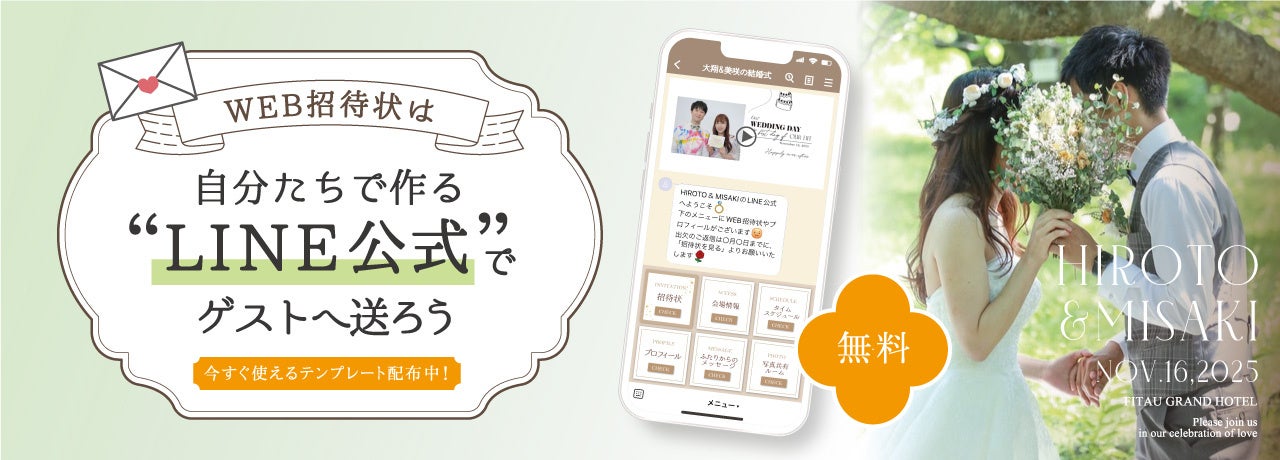
The wedding industry's migration toward digital tools has moved far beyond simple invitation websites. A notable shift occurred when Japanese bridal distributor fitau launched comprehensive setup guides and 44 free template variations for official bridal LINE accounts, enabling couples to automate RSVP collection and direct communication directly within popular messaging ecosystems.
Couples increasingly merge these chat-based invitation platforms with physical check-in rosters. Guests scan personalized QR codes displayed on their smartphone screens upon entry, automatically updating a cloud-hosted reception sheet. Hybrid workflows bridge the generational gap: younger guests scan digital passes in seconds, while ushers use printed alphabetical sheets for older family members who prefer physical stationery.
Coordinators emphasize that hybrid solutions must carry paper redundancies. When cellular networks saturate inside historic brick venues or hotel basements, cloud-dependent front desks collapse. Seasoned bridal coordinators keep a freshly printed alphabetical backup clipboard under every digital check-in terminal.
Frequently Asked Questions
Q1: Should our guest check-in roster be sorted by table number or alphabetically?
A1: Sort strictly by guest last name. Sorting by table number requires ushers to cross-check multiple lists if an attendee forgets their assigned table, causing long lines. Table numbers should simply be a data column next to the attendee's surname.
Q2: How many check-in stations do we need for 150 guests?
A2: Plan for at least two separate check-in desks, split alphabetically (A, K and L, Z). Each station should have two attendants: one to verify attendance on the check-in sheet template, and another to secure gift envelopes and distribute table placement markers.
Q3: How do we handle unexpected plus-ones who appear at the front desk?
A3: Keep a dedicated "Unlisted Guest Protocol" section at the bottom of the roster. Ushers note the unlisted individual's name alongside their host's party, hand over an unassigned escort card, and alert the floor coordinator immediately to arrange an extra banquet setting without interrupting front-desk flow.
Executing an Effortless Front-Door Reception Flow
A wedding reception's front-desk flow sets the emotional tone for the entire event. Long queues and unorganized paperwork cause immediate guest anxiety, while an orderly entrance allows family and friends to focus on celebrating. Whether you deploy cloud-synced spreadsheets, paper-free mobile invitations, or clean printable layouts, successful execution depends on simplicity.
Keep data collection minimal at the entry door. Move catering audits and envelope counting away from arrival counters. By splitting foot traffic across alphabetical desks and pairing ushers with intuitive, clean rosters, event teams guarantee that guests move smoothly from the venue entrance straight to their seats.