Fact-Check: Can Sub-$100 Wi-Fi Cameras Really Replace Your Smartphone Camera?

Shoppers hunting for casual photography gear are increasingly looking beyond their phones. Across retail shelves in late 2026, an influx of sub-$100 digital camera models has triggered a quiet spending surge, buoyed by viral clips touting nostalgic color profiles and wireless synchronization. As detailed in a recent note Report tracking Japanese consumer electronics sales, entry-level models have plummeted in price, one popular 2026 compact dropped 36% from ¥13,999 to ¥8,999 (roughly $58), complete with an included 64GB SD card and integrated wireless sync. Concurrently, brand rollouts like the KEIYO AN-DC006, a tilt screen Wi-Fi camera launched in September 2026, market themselves directly as dedicated smartphone companions.
The core proposition sounds irresistible: uncouple your daily visual memories from your notification-heavy phone, capture filmic moments on a pocketable chassis, and send the results straight to your camera roll via Wi-Fi photo transfer. Yet hardware teardowns and wireless stress tests tell a more complicated story. Before spending money on an ultra-budget point and shoot, buyers must understand where these units excel and where their technical compromises border on frustrating.
📌 Key Takeaways:
- The Transfer Reality: Dedicated wireless image transfer apps on budget cameras rely on ad-hoc 2.4GHz Wi-Fi networks that can suffer from pairing latency, making SD card direct transfer via a USB-C dongle significantly faster for bulk albums.
- Sensor Limitations: Most sub-$100 models house small dashcam-grade CMOS sensors that lack computational processing, yielding authentic retro digital camera aesthetic shots in daylight but falling apart in low light.
- The Real Audience: These cameras shine as distraction-free companions for travel, school festivals, and casual events where users want physical zoom buttons and front-facing flip screens without risking their expensive primary handsets.
Why Buyers Are Flocking Back to Entry-Level Point-and-Shoots
Smartphones eliminated the entry-level camera market a decade ago. Now, a cultural counter-reaction is driving its revival. Buyers under thirty are experiencing digital fatigue from clinical, hyper-processed smartphone images. Modern phones deploy aggressive HDR, noise reduction, and AI edge-sharpening that eliminate texture to produce flat perfection. In contrast, older sensor profiles provide blown highlights, soft shadows, and visible digital noise.
Hardware makers are tailoring their releases directly to this craving. Japanese tech brand KEIYO targeted this gap with its AN-DC006 model, advertising built-in color grading filters and physical ergonomics alongside wireless tethering. Instead of competing with the computational power of multi-lens flagship phones, these devices sell tactile friction. You get a dedicated shutter button, mechanical zoom toggles, and a front-articulating screen for selfies. The primary goal is capturing candid moments without checking notifications every time you frame a shot.
How Wireless Image Transfer Performs Under Pressure
The critical technical hurdle for any smartphone companion camera is moving pictures off the memory card and onto Instagram or messaging apps. Historically, budget shooters required removing the memory card, inserting it into a computer, and exporting files manually. Modern budget models bypass that friction with ad-hoc wireless links.
The implementation requires patience. Unlike high-end mirrorless systems from Sony or Fujifilm that maintain low-energy Bluetooth links to negotiate transfers in the background, budget units generate a standalone local Wi-Fi access point. Users must manually disconnect their phone from their home router or cellular data, join the camera's local network inside iOS or Android settings, and launch a proprietary wireless image transfer app.
Transfer speeds across tests average roughly 1.8MB to 3.2MB per second on standard 2.4GHz connections. For single 12-megapixel JPEGs, the transfer completes in roughly three seconds. However, attempting to offload a twenty-photo batch from a concert or birthday party often leads to handoff timeouts, particularly in RF-dense urban settings. If transfer stability is paramount, an $8 USB-C SD card reader remains three to four times faster than wireless transmission on sub-$100 hardware.
Hardware Realities: Tiny Sensors Versus Phone Computation
Marketing copy for sub-$100 cameras routinely boasts inflated resolution numbers, often advertising 44MP or 48MP outputs. Buyers should treat these figures with deep skepticism. In nearly every budget chassis, the actual hardware comprises an interpolated 1/3-inch or 1/2.3-inch CMOS sensor originally engineered for automotive dashcams or webcams, paired with fixed-aperture plastic optical assemblies.
Flagship phones leverage multi-frame stacking, neural scene analysis, and quad-pixel binning to rescue night shots. Budget cameras carry zero image-processing silicon. When sunlight dims, their tiny sensors struggle immediately, revealing chromatic aberration, slow shutter lag, and sensor banding. But during bright daylight excursions, that same technical vulnerability produces the grainy, low-contrast snapshot look that millions of creators spend hours trying to emulate with software filters.
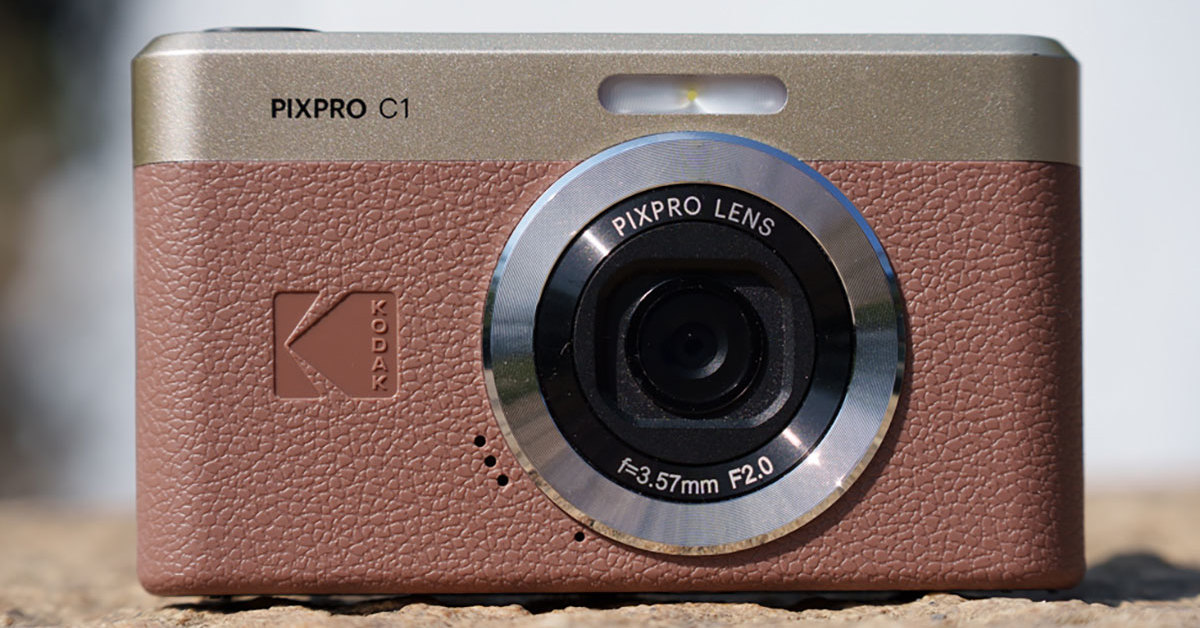
Sub-$100 Wi-Fi Compacts Versus Modern Smartphones
Evaluating whether a standalone budget shooter fits your workflow requires balancing hardware realities against convenience trade-offs:
| Evaluation Factor | Sub-$100 Wi-Fi Camera (e.g., KEIYO AN-DC006) | Standard Modern Smartphone |
|---|---|---|
| Effective Daylight Output | Natural filmic grit; high contrast; authentic early-2000s look | Hyper-sharp; heavy dynamic range processing; vivid color balance |
| Low-Light Usability | Requires onboard harsh flash; high digital noise past ISO 400 | Night mode multi-exposure stacking; clean performance up to ISO 3200 |
| Transfer Speed & UX | Manual Wi-Fi switching via companion app; 1, 3 sec per frame | Instantaneous; native cloud backup; zero intermediary pairing |
| Form Factor & Optics | Flip/tilt LCD screens; digital zoom; featherweight plastic shells | Fixed chassis; multiple physical focal lengths (Ultra-wide/Telephoto) |
| Total Cost of Ownership | $55, $95 (frequently includes extra battery and 64GB card) | $400, $1,200 upfront or bundled with cellular service plans |
Who Benefits Most From Budget Companion Cameras
Buying an inexpensive camera as an everyday smartphone alternative depends strictly on your shooting priorities. If you expect optical clarity comparable to an iPhone 16 or Galaxy S25, you will be disappointed. Budget point-and-shoot optics rely on simple molded plastic elements that smudge easily and lose edge sharpness.
However, specific profiles get tremendous utility from these devices:
- Travelers and Festivalgoers: Leaving your $1,000 smartphone securely zipped in a bag reduces theft risk. A lightweight plastic camera can take knocks, survive sandy beaches, and pass through festival crowds without generating anxiety.
- Content Creators Seeking Vintage Aesthetic: Direct, unfiltered harsh flash portraits look authentic on budget digicams because the sensors react naturally to overexposure rather than trying to tone-map the scene flat.
- Students in Screen-Restricted Settings: Many academic trips, summer camps, and exam-period retreats prohibit internet-connected smartphones. A standalone camera bypasses the distraction while still recording daily moments.
Conversely, food photographers, night-scene shooters, and vloggers requiring clean 4K audio should steer clear. Microphones on sub-$100 cameras are unshielded, picking up heavy wind resistance and internal zoom motor vibration.
Frequently Asked Questions (FAQ)
Q1: Do budget Wi-Fi compact cameras require home internet or mobile data to transfer pictures?
A1: No. The camera broadcasts its own localized ad-hoc Wi-Fi hotspot. Your smartphone connects directly to the camera's wireless signal using an offline local link, allowing you to transfer photos in remote outdoor areas, airplanes, or camping spots without cellular reception.
Q2: Why does my camera disconnect from my phone during transfers?
A2: Most budget cameras transmit on the congested 2.4GHz band. If your smartphone has "Auto-Switch to Cellular" or "Smart Network Switch" enabled, the phone may drop the camera connection because it detects that the camera's Wi-Fi network does not supply active internet access. Temporarily disabling cellular data fixes the problem.
Q3: Is SD card direct transfer better than using the companion wireless app?
A3: Yes. While camera to smartphone transfer over Wi-Fi is convenient for moving two or three quick photos to post online, a simple USB-C card reader provides plug-and-play stability, avoids battery drain on both devices, and handles multi-gigabyte video clips in seconds.
The Practical Role of Pocket Cameras in 2026
Ultra-affordable digital cameras do not represent a technical threat to modern smartphone photography. On pure optical engineering, dynamic range, and image stabilization, phones win across every benchmark. But photography is rarely just a specifications race. The resurgence of compact cameras like the KEIYO series illustrates a growing demand for visual character, tactile buttons, and intentional shooting habits.
Treating a sub-$100 compact as a durable, carefree companion rather than a professional replacement puts its capabilities into perspective. When used for casual daylight strolls, candid family gatherings, and lo-fi social media clips, these budget shooters deliver practical fun at an accessible entry price.