Can You Print Address Labels at Any Japanese Convenience Store? Compatibility and Feature Audit
Can You Print Address Labels at Any Japanese Convenience Store? Compatibility and Feature Audit
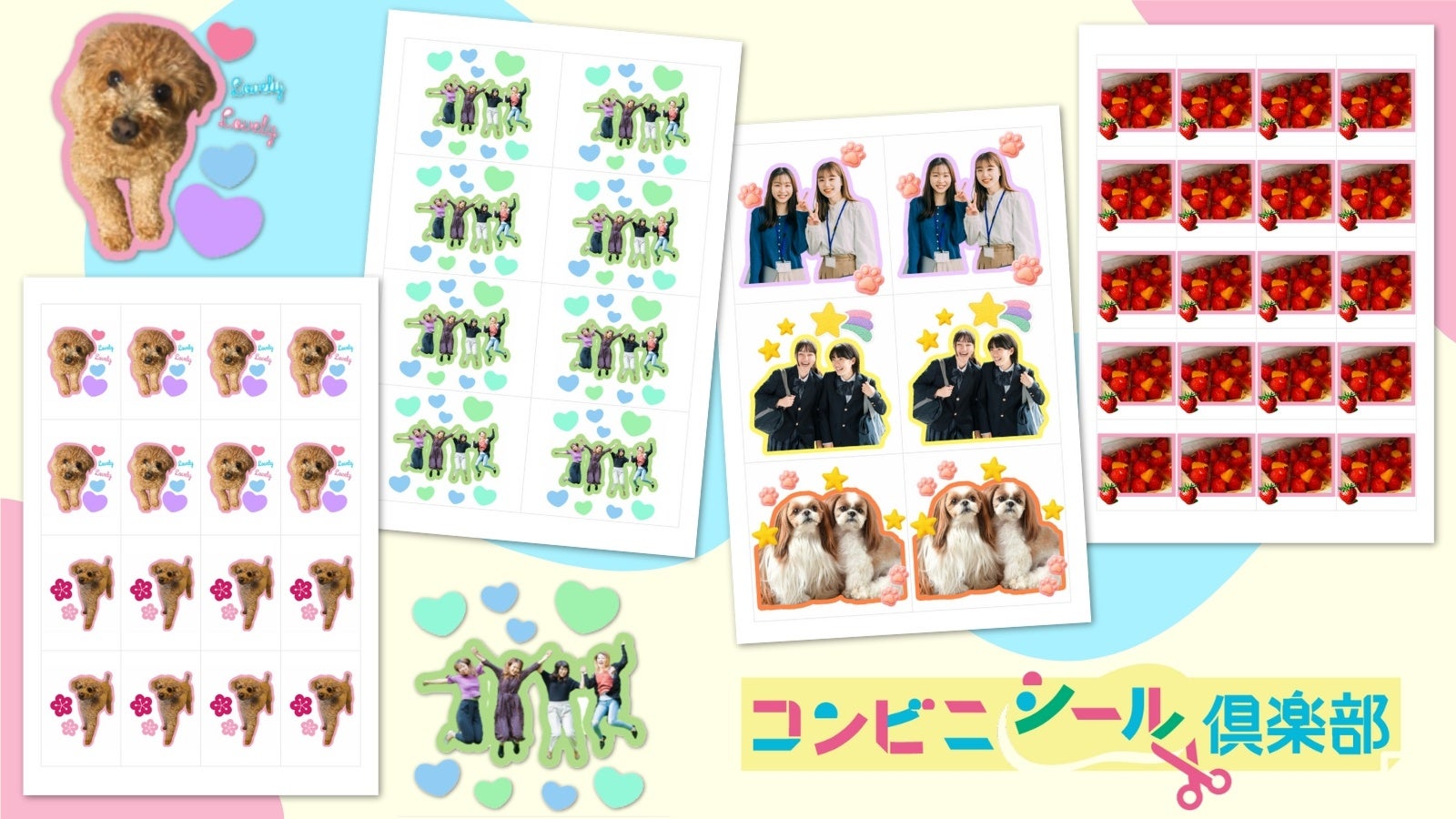
Anyone who sells secondhand goods on Mercari, ships packages through Japan Post, or sends gifts to relatives faces the tedious chore of handwriting Japanese kanji addresses. When domestic software maker Busy-car Corporation rolled out its major update to the Convenience Sticker Club platform, introducing automated flake sticker formats alongside an iOS background removal tool, as covered in a recent CNET Report, it highlighted a booming convenience store micro-service: printing custom peel-and-stick shipping labels on demand. Yet travelers, expatriates, and local residents frequently hit a wall at the kiosk. Walk into the wrong storefront, and you will discover that not every multifunction copy machine carries adhesive stock.
The assumption that every neighborhood convenience store functions identically falls apart the moment you need specialty paper. Japan's three major convenience chains, 7-Eleven, Lawson, and FamilyMart, rely on fundamentally different hardware suppliers, proprietary operating systems, and media feeds. While standard document printing on plain paper is universal, printing self-adhesive address labels is not.
📌 Key Takeaways:
- Hardware Reality: Only Lawson, FamilyMart, and select Ministop terminals support dedicated sticker paper; 7-Eleven kiosks strictly do not load adhesive sheets.
- Software Bridge: Dedicated mobile platforms like My Address Sticker and Convenience Sticker Club bypass home inkjet printers by generating an eight-to-ten-digit smartphone print reservation code.
- Price Point: Single L-size sticker sheet costs run between ¥200 and ¥300, making convenience kiosks cheaper than buying full label packs for sporadic shipping.
The Hardware Divide Across Japan’s Big Three Chains
The Japanese convenience store kiosk ecosystem is divided by printer hardware. Lawson and FamilyMart deploy Sharp multifunction printers engineered specifically to feed heavy photo stock and adhesive sticker rolls. These machines house separate internal paper cassettes reserved for glossy sticker media. In contrast, 7-Eleven equips its domestic footprint of over 21,000 stores with Fuji Xerox (Fujifilm Business Innovation) multifunction devices. These terminals are optimized for high-speed administrative documents, certified government residency certificates (Juminhyo), and glossy photographic prints, but they deliberately lack an internal feed tray for adhesive label stock.
Attempting to feed personal label sheets into a 7-Eleven manual bypass tray will trigger an immediate system lock. Store staff will intervene. The thermal fusing units inside commercial copiers operate at elevated temperatures that melt consumer adhesive backings, destroying drum units and generating hefty repair liability. If you need peel-and-stick shipping labels, 7-Eleven's netprint service can only produce regular plain paper cuts that require handheld glue sticks or clear packing tape.
For authentic peel-and-stick labels, your destination must be a Lawson or FamilyMart kiosk. Both chains run compatible print networks that accept inputs from shared utility apps, making the choice between the two brands largely interchangeable for end users.
Fact-Checking Kiosk Capabilities and Label Pricing
Hardware differences translate directly into feature access, supported file formats, and bottom-line out-of-pocket costs. To help navigate store kiosks, the table below breaks down the technical capabilities of the three leading retail chains across Japan as of 2026.
| Chain Store Network | Sticker Paper Availability | Supported Sheet Sizes | Standard Sheet Cost |
|---|---|---|---|
| Lawson | Yes (Sharp Multi-Copy Kiosks) | L-Size, 2L-Size, Square | ¥200, ¥300 (L) / ¥400, ¥500 (2L) |
| FamilyMart | Yes (Sharp Multi-Copy Kiosks) | L-Size, 2L-Size, Square | ¥200, ¥300 (L) / ¥400, ¥500 (2L) |
| 7-Eleven | No (Fujifilm Kiosks) | Plain Paper / Photo Only | ¥20, ¥60 (Plain paper workaround) |
The standard print run relies on an L-size sheet measuring 89 mm × 127 mm, roughly the size of a standard photo print. This dimension comfortably accommodates two medium address blocks or four compact sender-recipient pairings. A 2L-size sheet spans 127 mm × 178 mm, suitable for oversized parcels or international EMS address layouts.
Navigating App Integrations: My Address Sticker vs. Convenience Sticker Club
Walking up to a kiosk screen without preparing your layout in advance is a recipe for frustration. Multi-copy terminals feature complex nested menus that make typing Japanese sender and receiver addresses directly on the touchscreen slow and error-prone. Two primary third-party applications solve this issue: My Address Sticker (マイ宛名シール) and Convenience Sticker Club (コンビニシール倶楽部).
My Address Sticker focuses on utilitarian speed. The web app requires no software download. Users open the browser on their smartphone, select an envelope or parcel template, input sender and recipient details, and pick decorative borders. Seasonal templates expand the offering; PR TIMES documented the app's rollout of dedicated Respect for the Aged Day designs in August and Halloween-themed shipment motifs in late September. Once designed, the service outputs an eight-digit user number linked to the national network.
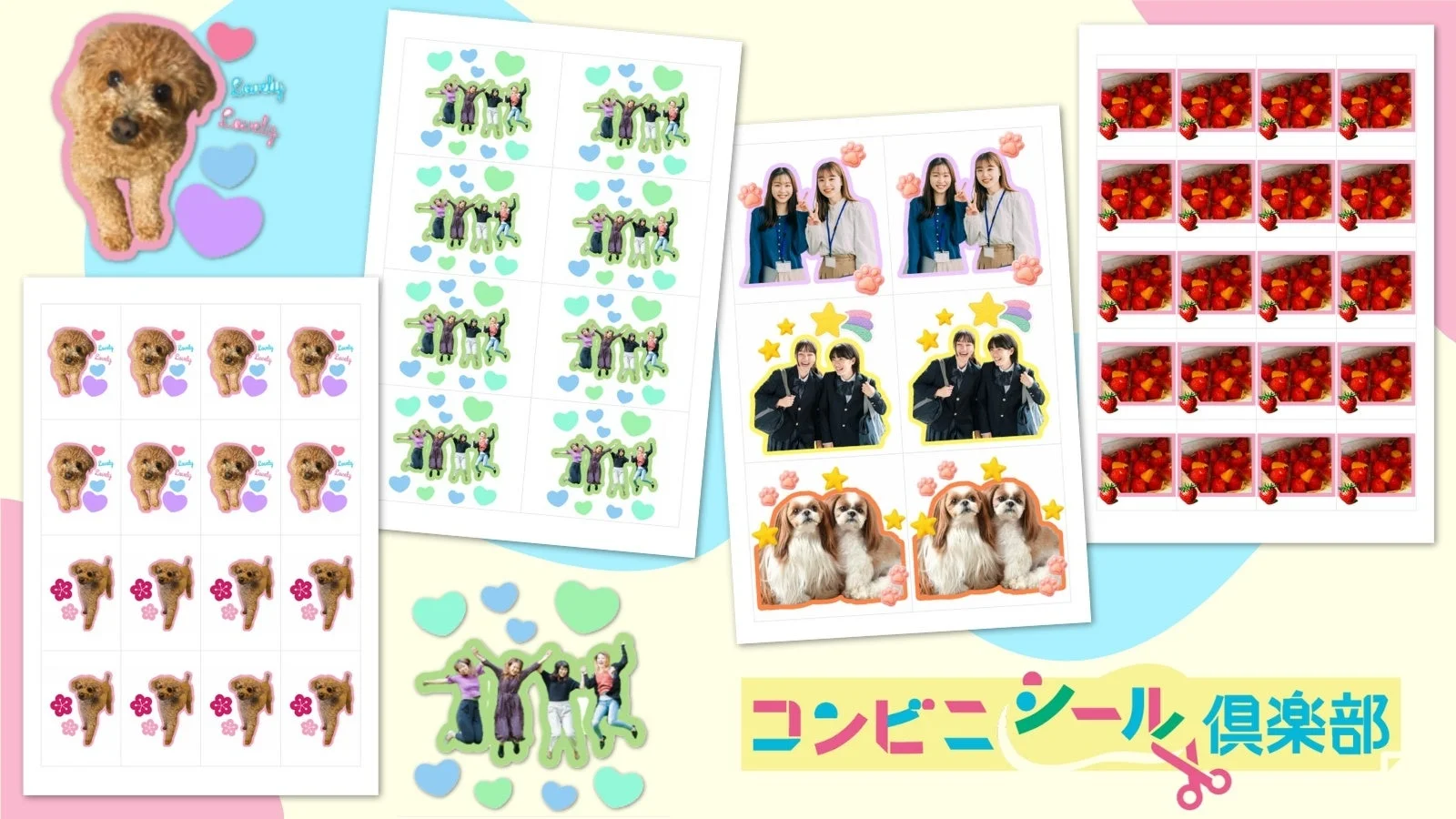
Convenience Sticker Club offers deeper visual control. Built by Busy-car Corporation, the app lets users design custom layouts with uploaded photography, business logos, or vector stamps. Its built-in background removal tool strips product backdrops instantly on iOS devices, allowing small e-commerce merchants to turn item photos into branded address stickers. The newly released flake sticker function automatically calculates cut margins, arranging multiple address segments onto a single L-size canvas.
Both platforms output an alphanumeric print reservation code valid for roughly 7 to 30 days. When entered at any Lawson or FamilyMart kiosk, the machine pulls the pre-rendered PDF down from cloud storage, applies the graphic profile, and dispenses the finished sheet into the tray within 45 seconds.
Step-by-Step Kiosk Protocol: From Smartphone Code to Physical Sticker
The operational flow inside the store requires specific navigation through the kiosk touch screen. Follow these steps to complete the print run without operational hiccups:
First, assemble the design on your device before heading to the store. Finalize recipient names, postal codes, and phone numbers in the design preview. Once you hit finalize, copy the generated reservation code directly to your clipboard or take a quick screenshot.
Second, locate the multi-copy kiosk at Lawson or FamilyMart. Tap the primary menu interface to switch the system language to English if needed, though proprietary sticker services often display partly in Japanese. Locate the main button labeled Print Service (プリントサービス), then choose Network Print (ネットワークプリント).
Third, enter your reservation code using the on-screen numeric keypad. The terminal connects to the cloud server and surfaces your design layout on the confirmation screen.
Fourth, select your material stock. The interface prompts you to pick between standard copy paper, photo paper, or sticker paper (シール紙). You must touch Sticker Paper. Confirm the sheet size, typically L-size (L判) for standard address layouts. The terminal displays the required fee, typically ¥200 per sheet.
Fifth, deposit coins into the mechanical coin slot or tap a supported digital payment card (such as Suica, Pasmo, or nanaco where accepted). Press the start button. The kiosk warms the secondary feed tray and dispenses the glossy, peel-backed sheet into the lower dispensing compartment.
Cost Economics: Convenience Terminals vs. Desktop Printing
At ¥200 per sheet, convenience store printing looks expensive compared to bulk A4 label packs from brands like A-One or Kokuyo, which cost roughly ¥15 to ¥30 per page when bought in 100-sheet boxes. For merchants shipping dozens of packages every afternoon, relying on Lawson or FamilyMart is financially impractical. High-volume operations justify an entry-level thermal label printer.
The calculation flips for individuals and occasional marketplace sellers. Inkjet printers suffer from printhead clogging when left idle for weeks, leading to wasted ink, cleaning cycles, and paper jams. When factoring in the cost of replacement ink cartridges, frequently running between ¥4,000 and ¥8,000 per set, spending ¥200 two or three times a month at the corner store delivers massive cost savings. Kiosk sticker stock also features commercial-grade water resistance. Inkjet address prints bleed instantly when couriers deliver parcels through heavy rain; the protective coating on convenience store sticker sheets keeps the recipient address legible under harsh weather.
Frequently Asked Questions (FAQ)
Q1: Can I bring my own A4 sticker sheets and feed them into a 7-Eleven or Lawson copier?
A1: No. All convenience store chains strictly prohibit customers from inserting third-party paper into kiosk trays. Third-party adhesives melt inside commercial heat rollers, creating catastrophic mechanical jams. Store clerks will stop you, and you can be held financially liable for kiosk repairs.
Q2: How long is a smartphone print reservation code valid?
A2: Code validity varies by application. Codes generated through My Address Sticker typically remain active in the cloud for roughly 7 to 14 days, while Convenience Sticker Club reservation codes often stay active for up to 30 days. After expiration, designs drop off the server and must be submitted again.
Q3: Will convenience store sticker labels stick securely to cardboard parcel boxes?
A3: Yes. The adhesive backing used by Sharp kiosks at Lawson and FamilyMart uses an industrial pressure-sensitive adhesive. It bonds strongly to standard corrugated cardboard, craft mailing paper, padded bubble mailers, and plastic poly-mailers without peeling at the corners during domestic transit.
Strategic Takeaways for Domestic Shipping in 2026
The convenience store print ecosystem provides an efficient stopgap for Japan's domestic logistics needs, provided you respect the hardware boundaries of each retail network. Remember that 7-Eleven cannot output adhesive stock, regardless of which mobile app you use. Route all peel-and-stick shipping tasks directly to Lawson or FamilyMart.
Pairing platforms like Convenience Sticker Club and My Address Sticker with neighborhood Sharp terminals eliminates the overhead of desktop printers and handwritten address errors. For occasional marketplace dispatches, seasonal holiday gifts, or emergency parcel rerouting, the ¥200 on-demand sticker sheet remains one of the most practical logistical conveniences in urban Japan.